

Table of Contents
Add a header to begin generating the table of contents
What Is a Warehouse Management System
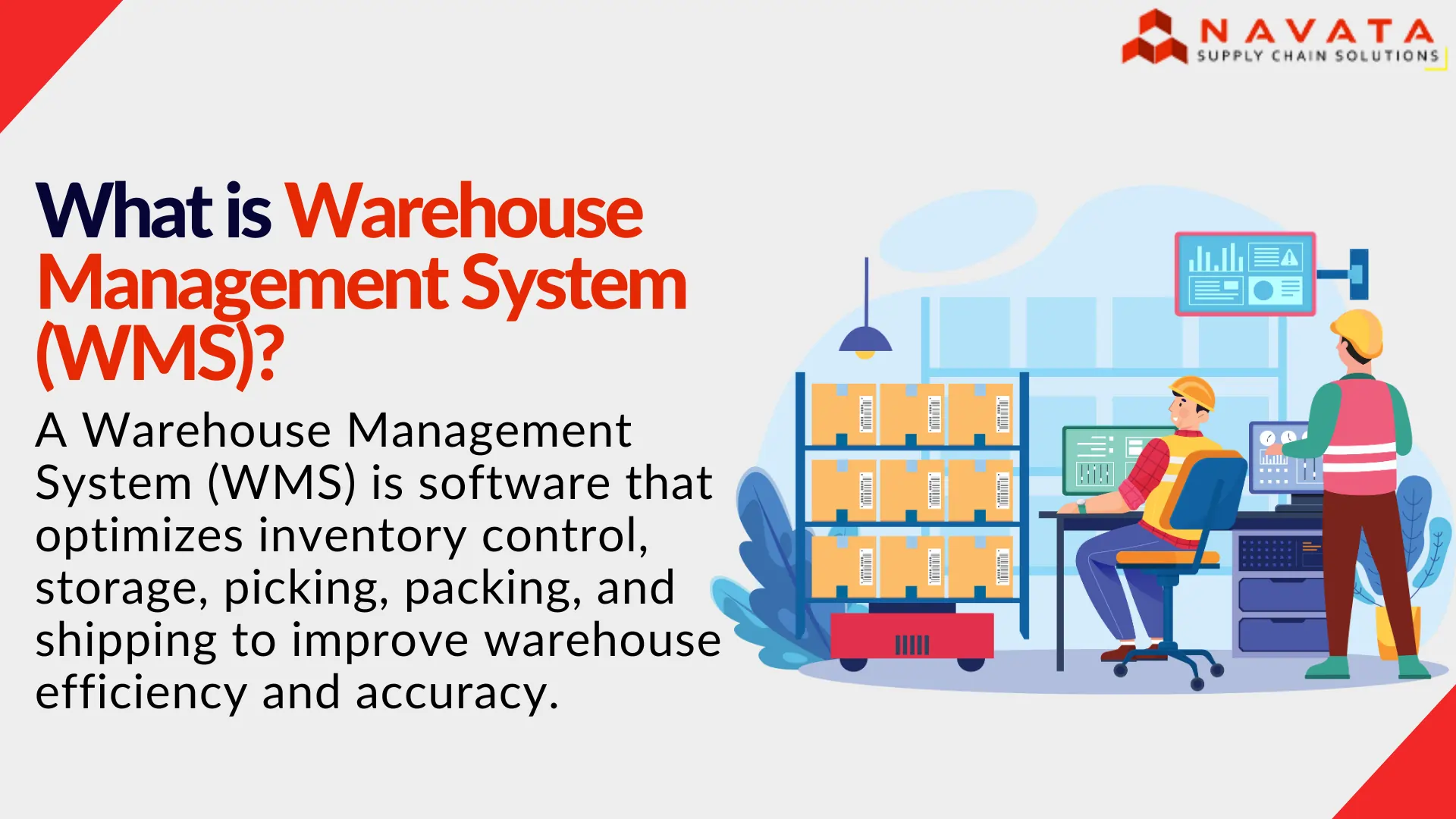
A warehouse management system is software that controls and tracks every movement of stock inside a warehouse, from the moment a truck backs into the dock to the moment a packed order leaves it. Put simply, it decides what gets received, where it gets stored, how it gets picked, and it confirms that the right thing left correctly.
Think of it as the operating system running underneath your warehouse floor. Where a spreadsheet passively records that a SKU exists somewhere in the building, a WMS actively directs the work. It tells a picker which rack to walk to next. It tells a supervisor which dock is falling behind. It flags a stock shortage before that shortage turns into a failed order.
This distinction matters more as volume grows. A ten-thousand-SKU warehouse running on Excel isn’t really being managed, it’s being tracked after the fact, usually by someone who finds out about a problem only once a customer has already been affected by it. A WMS closes that gap by turning every receipt, pick, and dispatch into a real-time, location-level data point instead of an end-of-day guess.
Functions of WMS (Warehouse Management System)
Functions of WMS (Warehouse Management System) manages the complete flow of products within a warehouse, from receiving and storage to picking, packing, and shipping. These connected stages help businesses maintain inventory accuracy, optimize warehouse operations, reduce errors, and ensure orders move efficiently from inbound receipt to outbound delivery.
1. Inbound
When a truck arrives at the dock, the system checks the shipment against the purchase order or advance shipment notice, flags discrepancies like a short delivery or damaged cartons, and logs the stock in before it moves an inch further. At a Navata-managed warehousing facility in Chennai, for instance, an FMCG client’s inbound pallets get cross-checked against the purchase order within minutes of the truck backing in, so short-shipments are flagged the same day rather than discovered during a stock take weeks later.
2. Storage
Once inbound is confirmed, putaway logic decides exactly where each item should sit, based on rules like sales velocity, so fast movers land closer to the dispatch area, along with size and any special storage conditions. The system then directs a worker to that specific bin rather than “wherever there’s space,” and every subsequent movement- a transfer, a pick, a return- updates the count in real time through a barcode or RFID scan.
3. Picking
When an order comes in, the WMS builds the most efficient picking route rather than sending a worker on three separate trips for a three-item order, and for higher volume operations it can batch several orders into a single wave to cut walking time further. Packing then confirms the right items and quantities went into the box, usually via a barcode scan against the original order, before it moves to dispatch.
4. Outbound.
Shipping labels, carrier selection, and dispatch confirmation flow through the same system, and tracking data feeds back to the customer without anyone re-entering information by hand. Returns are tracked the same way, so reverse logistics doesn’t turn into an unmanaged pile in the corner of the warehouse, and scheduled cycle counts on high-value or fast-moving SKUs keep accuracy high all year instead of relying on one disruptive annual stock take.
Benefits Of WMS (with India Operational Examples)
The benefits of a WMS (Warehouse Management System) go far beyond simply replacing spreadsheets or reducing paperwork. In a real warehouse, a WMS improves the way inventory is received, stored, picked, packed, shipped, and tracked every day. These improvements become even more valuable in India, where businesses often manage multiple sales channels, seasonal demand spikes, GST compliance requirements, and rising customer expectations for fast deliveries. Rather than looking at the benefits as a checklist, it’s more useful to understand how they make a measurable difference on the warehouse floor.
1. Inventory Accuracy
Inventory accuracy is one of the biggest advantages of a Warehouse Management System. Every stock movement is recorded in real time through barcode or RFID scanning, reducing manual errors. During peak sales periods like Diwali or festive promotions, businesses can confidently display available inventory, avoid overselling, minimize stock discrepancies, and improve customer satisfaction.
2. Faster Picking and Order Fulfillment
A WMS optimizes picking routes and warehouse workflows, allowing employees to locate products more quickly with less walking. Features like zone, wave, and batch picking significantly improve efficiency. Faster picking reduces order processing time, increases daily throughput, and helps businesses meet same-day or next-day delivery expectations consistently.
3. Lower Operating Costs
Warehouse Management Systems reduce unnecessary operational expenses by improving labor productivity, minimizing inventory losses, and optimizing storage space. Businesses spend less on emergency replenishment, overtime, and correcting manual errors. Over time, these efficiencies lower overall warehouse operating costs while enabling higher order volumes without proportionally increasing workforce or infrastructure.
4. Fewer Picking and Shipping Errors
Barcode verification and automated validation at every warehouse stage ensure the correct products are picked, packed, and shipped. This reduces incorrect deliveries, returns, customer complaints, and costly reverse logistics. Fewer shipping mistakes also improve brand reputation while lowering the operational costs associated with replacements and customer service issues.
5. Better Customer Experience
Customers expect accurate inventory, fast deliveries, and error-free orders. A WMS helps businesses fulfill these expectations by providing real-time stock visibility, faster processing, and accurate order fulfillment. Reliable deliveries increase customer trust, encourage repeat purchases, improve online ratings, and strengthen long-term customer relationships in competitive markets.
6. Improved Workforce Productivity
Warehouse employees spend more time completing productive tasks instead of searching for inventory or handling paperwork. Digital task assignments, optimized workflows, and mobile scanning devices improve efficiency throughout the warehouse. Managers can also monitor employee performance, identify bottlenecks, and allocate resources more effectively to maximize daily productivity.
7. Better Decision-Making
A WMS provides real-time dashboards and detailed operational reports covering inventory levels, order status, warehouse capacity, and workforce performance. Managers gain instant visibility into warehouse operations, allowing them to make faster, data-driven decisions. Better insights improve forecasting, purchasing, labor planning, and overall supply chain performance.
8. Scalability
As businesses expand into new markets, increase product ranges, or open additional warehouses, a WMS supports growth without disrupting existing operations. Standardized workflows, centralized inventory management, and multi-warehouse capabilities allow companies to scale efficiently while maintaining consistent processes, operational control, and service quality across every location.
9. Real-Time Data
Every inventory movement, order update, and warehouse activity is recorded instantly, providing managers with up-to-date operational information. Real-time visibility helps identify bottlenecks, monitor warehouse performance, and respond quickly to changing demand. Instead of relying on outdated reports, businesses make decisions using accurate, live operational data.
10. Compliance
For industries such as pharmaceuticals, food, healthcare, and chemicals, compliance is essential. A WMS maintains detailed audit trails, batch tracking, serial number records, and expiry management to support regulatory requirements. It also simplifies GST documentation, inventory reconciliation, and traceability, helping businesses prepare for audits and product recalls with confidence.
Running a warehouse without a WMS? See how Navata’s managed warehousing includes WMS.
Types of WMS (Warehouse Management Systems )
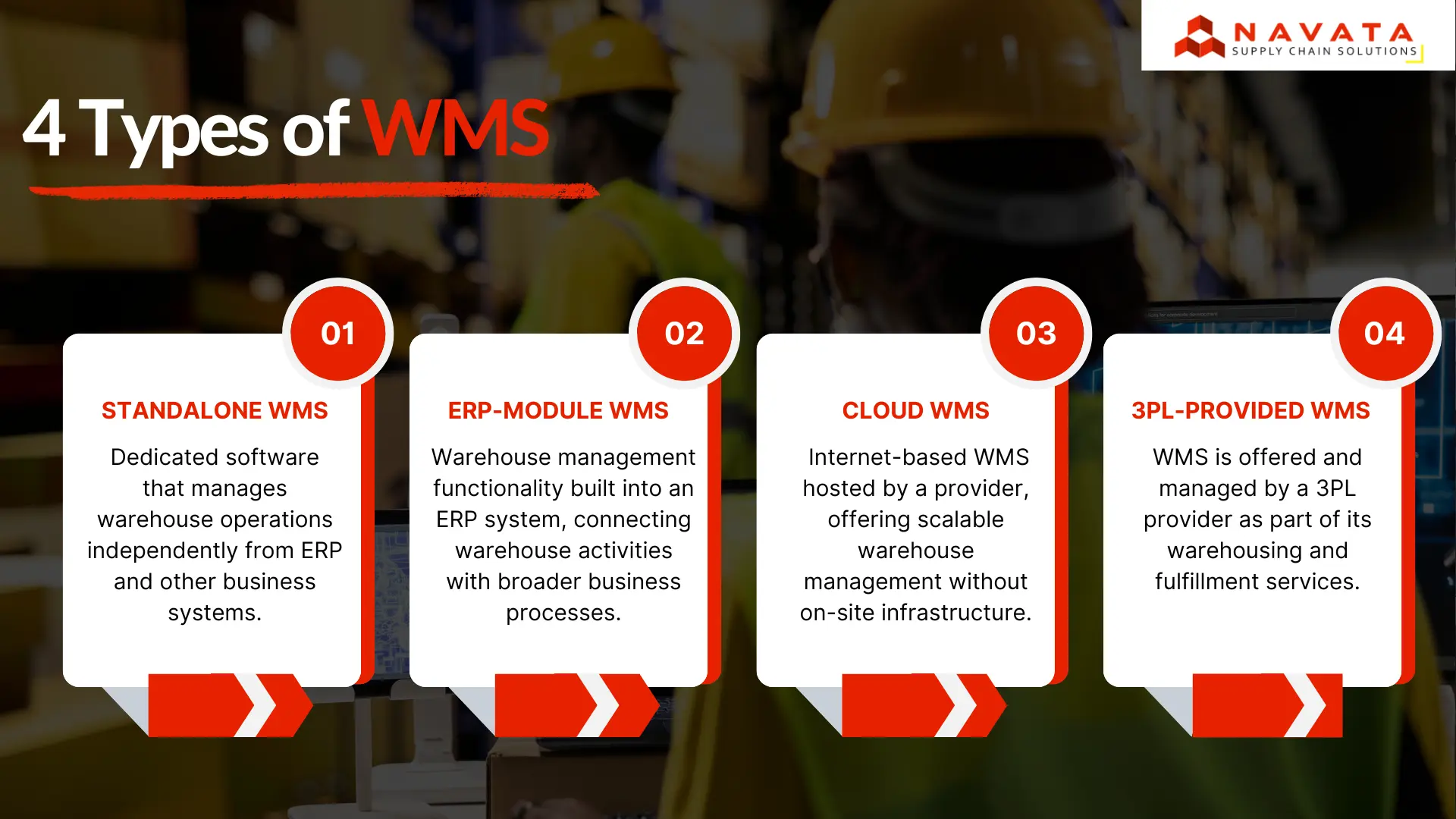
The Types of WMS (Warehouse Management Systems) are available in different types based on how they are deployed and how they integrate with business operations. The four main types are standalone, ERP-module, cloud, and 3PL-provided WMS. Each type serves a different operational need depending on business size, complexity, and control requirements.
1. Standalone WMS
A standalone WMS is a dedicated system focused only on warehouse operations such as receiving, storage, picking, packing, and shipping. It operates independently from ERP or other business software but can be integrated when needed.
It is used when businesses need strong warehouse control without replacing their existing systems. It offers high flexibility and advanced warehouse functionality, but requires integration with other tools for full business visibility.
Best suited for: Businesses that want advanced warehouse control while keeping their existing ERP or business systems.
2. ERP-Module WMS
An ERP-module WMS is built directly into an ERP system and connects warehouse operations with finance, procurement, sales, and inventory management in one platform.
It provides a single system for all business data, reducing duplication and improving visibility across departments. However, warehouse features may be less specialized compared to standalone systems.
Best suited for: Large enterprises already using ERP systems that want fully connected business and warehouse operations.
3. Cloud WMS
A cloud WMS is hosted online and accessed through the internet instead of being installed on local servers. The provider manages updates, maintenance, and infrastructure.
It allows faster deployment, easier scaling, and remote access to warehouse data. It is widely used by growing and multi-location businesses due to its flexibility and lower IT requirements.
Best suited for: Businesses that need scalable, easy-to-deploy warehouse management with remote access.
4. 3PL-Provided WMS
A 3PL-provided WMS is offered by third-party logistics providers as part of their warehousing and fulfillment services. The provider manages both the warehouse operations and the system.
Businesses use it to track inventory and shipments without investing in their own WMS. It reduces operational and technology overhead but depends on the provider’s system capabilities and integration options.
Best suited for: Businesses outsourcing warehousing or fulfillment to a 3PL provider.
WMS vs ERP vs Inventory Software
WMS, ERP, and inventory management software all handle inventory, but at different levels. An ERP manages overall business processes like finance, procurement, sales, and inventory. Inventory software tracks stock levels and locations. A WMS focuses on warehouse operations, controlling how inventory is stored and moved.
For example, an ERP may show 500 units in stock, while inventory software shows where they are located. A WMS goes further by identifying exact bin locations and managing tasks like receiving, picking, packing, and shipping. This makes it essential for complex warehouse operations that require speed and accuracy. These systems often work together: the ERP handles business data, while the WMS manages warehouse execution and feeds updates back to the ERP.
WMS vs ERP vs Inventory Management Software
| Aspect | WMS | ERP | Inventory Software |
|---|---|---|---|
| Primary Focus | Physical operations inside the warehouse. | Finance, procurement, and business-wide records. | Stock counts and inventory locations across the business. |
| Granularity | Bin-level and task-level operational detail. | Business process and enterprise-level management. | SKU-level inventory and storage location tracking. |
| Typical User | Warehouse staff, supervisors, and operations managers. | Finance teams, procurement departments, and business leadership. | Purchasing teams, planners, and inventory controllers. |
| Best Used When | Managing physical inventory movement, warehouse workflows, and labor productivity. | Running end-to-end business operations from a single integrated platform. | Managing stock levels, replenishment, and inventory visibility. |
Stages of WMS Implementation
The Stages of WMS Implementation involve configuring the software around actual warehouse processes, connecting it with existing systems, validating real transactions, and preparing the operation for live use. These stages typically cover requirements and process mapping, system configuration, data migration and integration, testing, employee training, go-live, and post-launch optimization.
1. Requirements and Process Mapping
This stage focuses on understanding how the warehouse currently operates and what the WMS must control. All key activities like receiving, putaway, picking, packing, dispatch, returns, and inventory tracking are documented. Businesses also define barcode usage, batch or serial tracking, storage rules, and picking methods. This ensures the system is designed to match real operational needs.
2. WMS Configuration and Warehouse Design
In this stage, the physical warehouse structure is created inside the system. Locations such as zones, aisles, racks, bins, and staging areas are configured. Operational rules like putaway logic, picking strategies, stock movement rules, and user permissions are set. This allows the WMS to automatically generate accurate tasks and manage warehouse flow efficiently.
3. Data Migration and System Integration
All required master data is cleaned, validated, and uploaded into the WMS, including SKUs, barcodes, suppliers, customers, and opening stock. At the same time, the system is integrated with ERP, order management, e-commerce, and transport systems. These integrations ensure smooth data flow between platforms without manual entry, improving accuracy and operational speed.
4. Testing and User Acceptance Testing
The configured system is tested using real warehouse scenarios covering the full workflow from receiving to dispatch. User Acceptance Testing (UAT) allows warehouse staff to validate daily operations, including exceptions like damaged goods, short picks, or incorrect scans. Any critical issues are identified and fixed before the system is approved for go-live.
5. Employee Training
Employees are trained based on their specific roles in the warehouse. Receiving staff learn inbound processes, pickers learn scanning and picking tasks, packers learn dispatch workflows, and supervisors learn monitoring and exception handling. Training is conducted using real WMS screens and devices so users become comfortable before live operations begin.
6. Cutover and Go-Live
This stage transitions the warehouse from the old system to the new WMS. Final data migration, inventory reconciliation, hardware checks, and integration validation are completed. Once everything is confirmed, the system goes live based on a structured cutover plan. Some businesses use phased or pilot rollouts to reduce operational risk during transition.
7. Post-Go-Live Stabilization and Optimization
After go-live, the system is closely monitored for errors, inventory mismatches, and performance issues. Problems are quickly resolved to stabilize operations. Once stable, businesses use system data to improve warehouse efficiency by refining picking methods, slotting, replenishment rules, and workflows. This ensures continuous improvement beyond initial implementation.
Conclusion
A warehouse management system isn’t really about software. It’s about whether your warehouse can keep a promise: the right item, in the right condition, at the right time. Manual processes can hold that promise together for a while, but they crack under real order volume, and customers notice immediately when they do.
If you’re evaluating your first WMS, don’t start with vendor feature lists. Start with your own workflow: where are errors actually happening today, inbound, picking, or outbound? That answer tells you what to prioritise far more usefully than any comparison chart, and it’s worth benchmarking against warehousing services and warehousing companies in India that already run this well.